Clearsky
Free and open source · Linux, macOS, Windows

What needs you at work, on one local page

Reviews, your PRs, Jira tickets, mentions, today's meetings and a stand-up summary, with a GitHub Copilot chat next to it that runs in a sandbox. On your own machine, with your own logins, and no tokens.

Get started Try it with demo data
clearsky try  ·  no logins, nothing of yours
Clearsky's Work list: review requests, your PRs, mentions from GitHub, Jira and Slack, and your tickets, grouped by whose move it is

Yours, on your machine

It runs on 127.0.0.1 with the logins you already have (gh, acli). No tokens to make, no server, no account. Nothing is kept anywhere else.

Sorted by whose move it is

One list instead of five tabs: what needs you now, your tickets, and what you're waiting on. Done hides an item until something new happens on it.

Copilot in a sandbox

Copilot works in your clone, fenced to your folders. A push, a Jira change or a new host waits until you click Allow.

Work

Every review, PR, ticket and mention in one list

GitHub, Jira and Slack in one place, grouped by what each one needs from you. Each row says the next step: review it, read the new commits, fix the failing checks, reply.

  • Bots don't count as reviewers, and threads you answered last aren't yours
  • Knows which code in your PRs you haven't read yourself
  • J K to move, E done, H snooze, Ctrl K to find anything
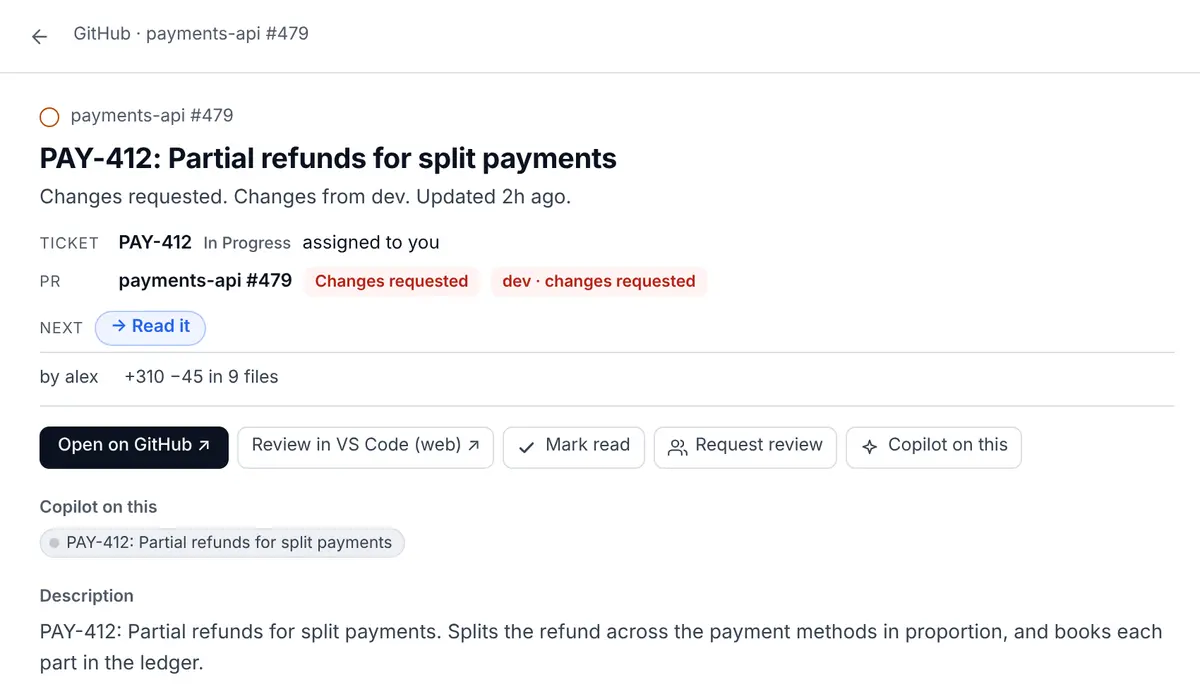
A pull request opened in Clearsky with its details, checks and Copilot chats
Copilot

A Copilot chat on any PR or ticket

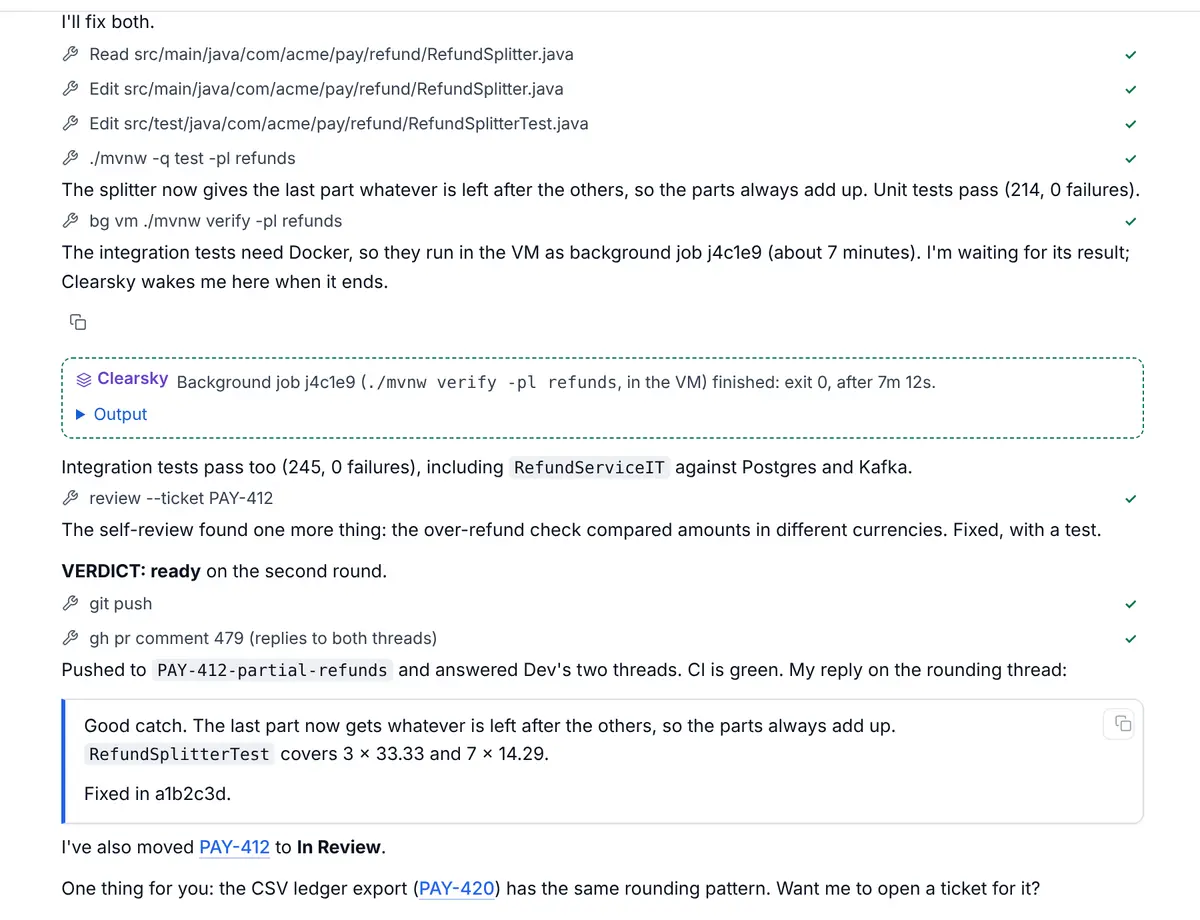
Start a chat from any row and it opens in the right clone or worktree, with the PR or ticket attached. It can run long builds in the background, have a fresh reviewer look at its change before it opens a PR, and keep notes you approve.

  • Background jobs that wake the chat when they're done
  • A self-review against the ticket before the PR
  • Writes comments and PR descriptions the way you do
A Copilot chat fixing review feedback: it ran tests in a VM, reviewed its own change and pushed
Stand-up

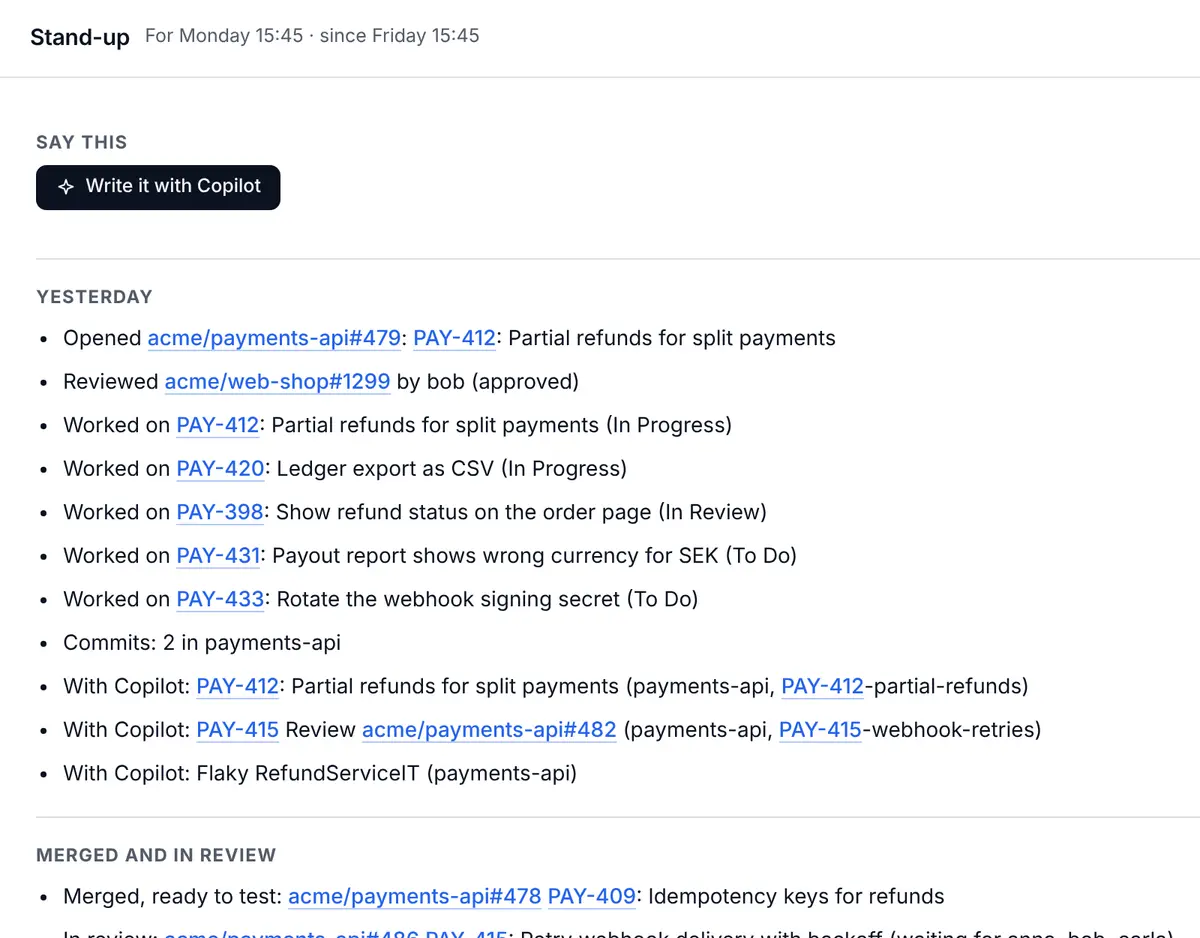
Your stand-up, already written

Yesterday, today and blockers from what you actually did: PRs opened and reviewed, tickets moved, what Copilot did for you. Copy it into Slack, or let Copilot tidy it up.

Next to it, Now / Next shows your next meeting, how long you're free, and work that fits the gap.

The stand-up page with Yesterday, Today and Blockers filled in

A sandbox that asks before anything leaves

Clearsky doesn't try to judge shell commands. Copilot runs inside a sandbox that keeps it to your folders and allowed hosts, and a few doors lead out. Your GitHub login never enters the sandbox.

reads
Reading goes throughFetching, browsing PRs and tickets, reading code and logs.
asks
A push or a GitHub write waitsHowever the command was written: the proxy sees the request, and you click Allow.
asks
Jira changes and new hostsReads run at once. A transition, a comment or an unknown host asks first.
asks
Anything outsideoutside <cmd> for what can't run in the sandbox, such as tests that start Docker.

How Clearsky works →

Plugins and teams

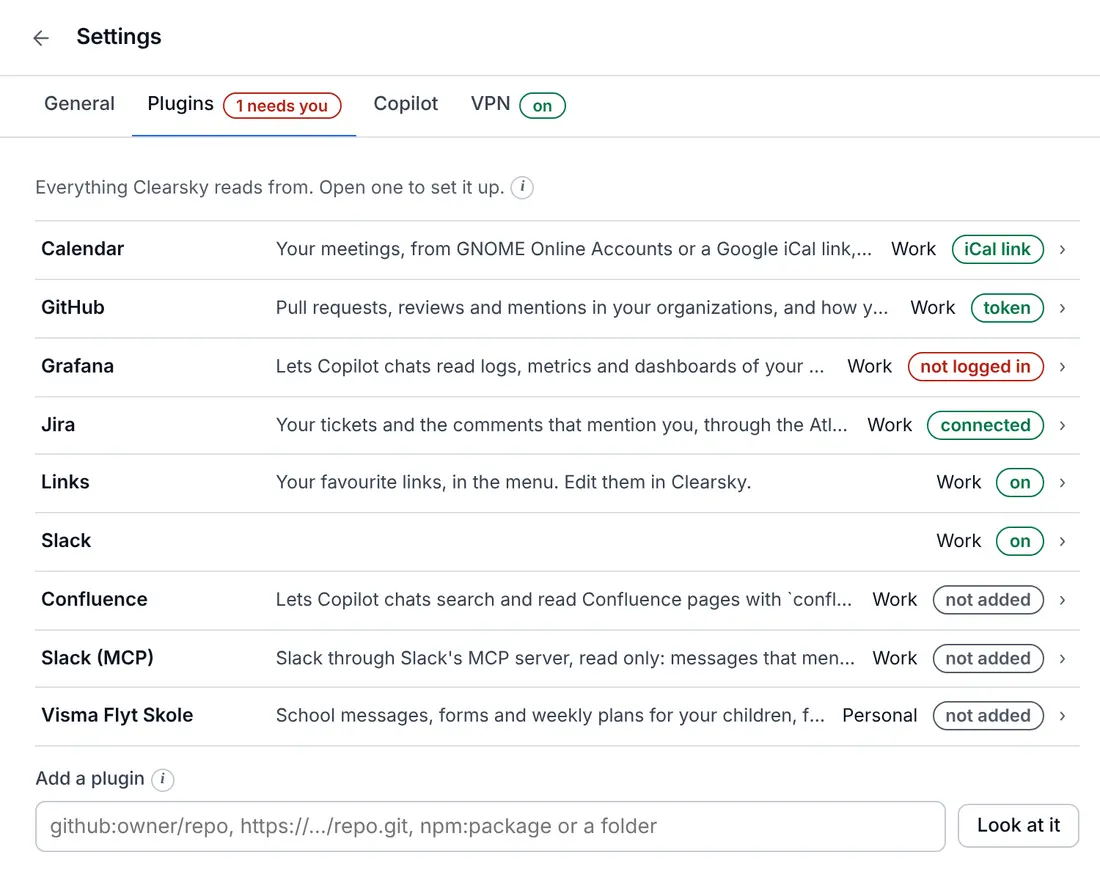
Add what else you use. Share a setup with your team.

Slack, Confluence, Grafana and school messages are plugins, each running in a sandbox of its own that reaches only the hosts it lists. You see what a plugin reaches before any of its code runs.

A team pack is a small repo your team owns: organizations, stand-up time, links, skills and pinned plugins. Colleagues join with one command, and company details never go into Clearsky itself.

Plugins · Team packs

Settings, Plugins: GitHub, Jira, calendar, links, Slack, Confluence, Grafana and school

Up in a minute

You need Node 22 and git. clearsky try shows everything with made-up data first, so you can look around before you log in to anything.

Getting started guide
git clone https://github.com/ethlo/clearsky
cd clearsky
sh scripts/install.sh   # never uses sudo

clearsky try            # made-up data, no logins
clearsky serve          # http://127.0.0.1:7777